想立刻做出类似 Seedance 2.0 的电影级视频?可以试试 WaveSpeed Cinematic Video Generator,一键生成 Seedance 2.0 级别的电影感视频。
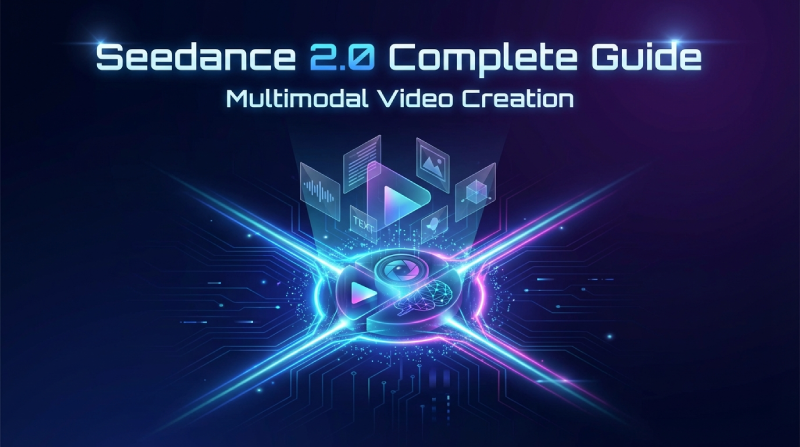
Seedance 2.0 标志着 AI 视频生成方式的一次根本性变革。它不再只依赖文本提示或单张参考图,而是可以同时接收 图片、视频、音频和文本 作为输入,让你像导演一样,对画面风格、运动节奏、镜头语言和叙事节奏进行全方位调度。
其中最核心的亮点是它强大的 参考系统:你可以用图片锁定视觉风格和角色形象,用视频指定运动和机位,用音频驱动节奏和情绪,再用文本控制剧情与分镜。此前难以实现的精细控制,如今都可以通过多模态组合完成。
关键规格一览(Quick Specs)
| 参数 | 规格说明 |
|---|---|
| 图片输入 | 最多 9 张图片 |
| 视频输入 | 最多 3 段视频,总时长不超过 15 秒 |
| 音频输入 | 最多 3 个 MP3 文件,总时长不超过 15 秒 |
| 文本输入 | 自然语言提示词 |
| 输出时长 | 4–15 秒,可由用户选择 |
| 音频输出 | 原生音效与音乐 |
| 单次生成文件总数 | 最多 12 个文件 |
在多文件组合使用时,优先上传对最终效果影响最大的素材——例如:用于运动/机位参考的关键视频,或用于角色/风格统一的核心图片。
如何使用参考素材
Seedance 2.0 通过 @ 引用系统 来指定每个上传文件的用途。你可以在提示词中明确告诉模型:某个文件负责外观、某个负责运动、某个负责镜头、某个负责节奏等,从而获得可控且可复现的结果。
入口模式
- 首帧/尾帧模式(First/Last Frame Mode): 适合“给一张起始图 + 文本提示”的简单场景,例如从一张海报延展出一段动态画面。
- 通用参考模式(Universal Reference Mode): 用于复杂的多模态组合(图片 + 视频 + 音频 + 文本),也是大多数高级玩法的首选模式。
@ 引用语法
上传文件后,你可以在提示词中使用 @ + 文件标识来引用它们,例如:
@Image1 作为第一帧,参考 @Video1 的镜头运动,
使用 @Audio1 作为背景音乐
参考指令示例
| 使用场景 | 提示词示例 |
|---|---|
| 设定首帧 | @Image1 as the first frame |
| 参考动作 | Reference @Video1 for the fighting choreography |
| 复制机位与运镜 | Follow @Video1's camera movements and transitions |
| 添加音乐/节奏 | Use @Audio1 for the background music |
| 延长视频 | Extend @Video1 by 5 seconds |
| 替换角色 | Replace the woman in @Video1 with @Image1 |
通过这种方式,你可以精确指定:某个文件被用来“看什么”(角色/场景)、“怎么动”(动作/运镜)、“怎么剪”(节奏/转场)、“怎么听”(音乐/音效)。
核心能力解析
1. 更强的基础生成质量
Seedance 2.0 在基础画面与运动质量上有明显提升:
- 物理合理性更强:物体的下落、碰撞、交互更符合真实世界规律。
- 运动更流畅自然:动作衔接顺滑,节奏与惯性更真实。
- 指令理解更精准:能执行更复杂、更长的自然语言描述。
- 风格统一性更好:整段视频的画面风格不易漂移。
示例提示词:
A girl elegantly hanging laundry, finishing one piece and reaching
into the basket for another, shaking it out firmly.
即便没有逐帧指示,模型也能自动处理连续动作、布料物理和身体动态。
2. 多模态参考系统
这是 Seedance 2.0 的“灵魂”功能。你几乎可以从任何上传素材中抽取你想要的元素:
- 从参考视频中抽取 运动节奏与动作模式
- 从创意模板中抽取 特效与转场方式
- 从人物图片中抽取 角色外观与服装特征
- 从电影片段中抽取 镜头语言与摄影手法
- 从音乐中抽取 节奏、情绪与剪辑点
关键原则: 用自然语言清楚说明:从哪个文件中“抽取什么元素”(动作/风格/镜头/角色/节奏),而不是只写“参考某视频”。
3. 角色与物体的一致性
以往模型常见的“脸崩”“物体变形”“场景跳变”等问题,在 Seedance 2.0 中得到明显改善:
- 面部一致性:角色五官、发型、气质在整段视频中保持统一。
- 产品细节保真:Logo、文字、细节纹理不易丢失或乱改。
- 场景连贯性:环境结构、光线氛围在不同镜头间保持一致。
- 风格锁定:整体画风不轻易漂移到其他风格。
示例提示词:
Man @Image1 comes home tired from work, walks down the hallway
slowing his pace, stops at the front door. Close-up of his face
as he takes a deep breath, adjusts his expression from stressed
to relaxed. Close-up of him finding his keys, inserting them into
the lock. He enters and his daughter and pet dog run to greet him
with a hug. The interior is warm and cozy, with natural dialogue
throughout.
通过 @Image1,整段视频中的男主形象都会保持统一。
4. 动作与运镜复刻
上传一段参考视频,Seedance 2.0 可以抽取并复刻其中的:
- 复杂动作设计:打斗、舞蹈、追逐等高难度动作编排
- 摄影机运动:推拉摇移、跟拍、升降、手持感等
- 剪辑节奏:剪切点、转场方式、整体节奏
- 特殊运镜:希区柯克变焦、甩镜、环绕镜头等
示例提示词:
Reference @Image1 for the man's appearance in @Image2's elevator
setting. Fully replicate @Video1's camera movements and the
protagonist's facial expressions. Hitchcock zoom when startled,
then several orbit shots inside the elevator. Doors open, tracking
shot following him out. Exterior scene references @Image3, man
looks around. Reference @Video1's mechanical arm multi-angle
following shots tracking his line of sight.
你可以把参考视频当成“运镜模板”,再用图片替换人物与场景。
5. 创意模板复刻
不仅能复刻动作,还能复刻整套创意结构:
- 广告模板:产品开箱、场景切换、品牌故事节奏
- 视觉特效:粒子、变形、超现实转场
- 电影技巧:片头序列、标题卡、悬念揭示
- 剪辑风格:MV 式快剪、纪录片节奏、商业广告节奏
示例提示词:
Replace the person in @Video1 with the girl in @Image1. Replace
the moon goddess CG with an angel referencing @Image2. When the
girl crouches, wings grow from her back. Wings sweep past camera
for transition. Reference @Video1's camera work and transitions.
Enter the next scene through the angel's pupil, aerial shot of
the angel (spiraling wings match the pupil), camera descends
following the angel's face, pulls back on arm raise to reveal
the stone angel statues in background. One continuous shot
throughout.
你可以把一支成熟广告当作“创意母片”,再用自己的角色与设定重拍一遍。
6. 视频续写与延长
在保留原有叙事与风格的前提下,向前或向后延长视频:
示例提示词:
Extend @Video1 by 15 seconds. Reference @Image1 and @Image2 for
the donkey-on-motorcycle character. Add a wild advertisement
sequence:
Scene 1: Side shot, donkey bursts through fence on motorcycle,
nearby chickens startled.
Scene 2: Donkey performs spinning stunts on sand, tire close-up
then aerial overhead shot of donkey doing circles, dust rising.
Scene 3: Mountain backdrop, donkey launches off slope, ad copy
appears behind through masking effect (text revealed as donkey
passes): "Inspire Creativity, Enrich Life". Final shot: motorcycle
passes, dust cloud rises.
通过“Extend @Video1 by X seconds”+ 新剧情描述,就能自然续写原视频。
7. 视频编辑与改写
无需从零生成,可以在现有视频基础上做“重拍式编辑”:
- 角色替换:保留动作与机位,只换人脸或整个人物
- 元素增删:加道具、加特效、去杂物、去路人等
- 风格迁移:把写实视频改成赛博朋克、油画风等
- 剧情反转:在原有镜头基础上改写故事走向
示例提示词:
Subvert the plot of @Video1. The man's expression shifts instantly
from tender to cold and ruthless. In the moment the woman least
expects it, he shoves her off the bridge into the water. The push
is decisive, premeditated, without hesitation—completely subverting
the romantic character setup. As she falls, no scream, only
disbelief in her eyes. She surfaces and shouts at him: "You were
lying to me from the start!" He stands on the bridge with a cold
smile and says quietly: "This is what your family owes mine."
通过“Subvert the plot of @Video1”这类指令,可以在保留画面基础上重写剧情。
8. 音画同步生成
Seedance 2.0 支持原生音频生成,并能与参考音频进行精准同步:
- 多语言口型同步:根据台词自动匹配嘴型
- 动作音效匹配:脚步声、碰撞声与画面动作对齐
- 背景音乐跟随节奏:镜头与剪辑点踩在节拍上
- 情绪化配音:根据剧情生成有情绪的对白
示例提示词:
Fixed shot. Fisheye lens looking down through circular opening.
Reference @Video1's fisheye effect. Make the horse from @Video2
look up at the fisheye lens. Reference @Video1's speaking motion.
Background audio references @Video3's sound effects.
你可以用一个视频做“说话动作参考”,再用另一个音频做“声音与节奏参考”。
9. 节拍驱动的剪辑(Beat-Synced)
适合做短视频、MV、节奏感广告等内容,让画面精准踩在音乐节拍上:
示例提示词:
The girl in the poster keeps changing outfits. Clothing styles
reference @Image1 and @Image2. She holds the bag from @Image3.
Video rhythm references @Video1.
多图配乐时:
Images @Image1 through @Image7 cut to the keyframe positions
and overall rhythm of @Video1. Characters in frame are more
dynamic. Overall style is more dreamlike. Strong visual impact.
Adjust reference image framing as needed for music and visual
flow. Add lighting changes between shots.
通过“cut to the keyframe positions and overall rhythm of @Video1”这类描述,可以让多张图片按音乐节奏自动排布与转场。
10. 一镜到底与长镜头
生成长时间、无剪切的一镜到底镜头,并保持运动与空间的连贯性:
示例提示词 1:
@Image1 through @Image5, one continuous tracking shot following
a runner up stairs, through corridors, onto the roof, ending
with an overhead view of the city.
示例提示词 2:
Spy thriller style. @Image1 as first frame. Front-facing tracking
shot of woman in red coat walking forward. Full shot following
her. Pedestrians repeatedly block the frame. She reaches a corner,
reference @Image2's corner architecture. Fixed shot as woman
exits frame, disappears around corner. A masked girl lurks at
the corner watching maliciously, mask girl appearance references
@Image3 (appearance only, she stands at the corner). Camera pans
forward toward woman in red. She enters a mansion and disappears.
Mansion references @Image4. No cuts. One continuous take.
通过“one continuous take”“no cuts”等指令,可以明确要求生成一镜到底效果。
典型创作场景
广告与电商视频
- 产品演示 + 生活方式场景 + 品牌故事一体化
- 用品牌现有 KV、海报、产品图作为视觉参考
- 用既有广告片作为节奏与镜头模板,快速生成新版本
多语言本地化
- 同一条广告/剧情片,生成多语言版本
- 参考原视频的动作与镜头,只替换对白与口型
- 保持品牌形象统一,同时适配不同市场语言
分镜到成片
- 上传静态分镜图作为参考图片
- 用文本描述分镜之间的运动、转场和镜头变化
- 快速从“分镜草图”过渡到“动态预演”甚至接近成片
模板化创作
- 找到一条你喜欢的风格视频(广告、MV、片头等)
- 上传作为参考模板
- 用自己的角色、产品、场景重拍同款风格
使用最佳实践
- 明确写出每个参考的用途
不要只写“参考 @Video1”,而要写清楚:- “Reference @Video1’s camera movement”
- “Reference @Video1’s editing rhythm”
- “Reference @Video1’s fighting choreography” 等。
- 合理分配 12 个文件名额
优先上传:- 决定运动与机位的关键视频
- 决定角色/产品/风格的核心图片
- 决定节奏与情绪的关键音频
- 检查 @ 引用是否对应正确
多图多视频时,容易把 @Image3 和 @Image4 写反,生成前务必自查一遍。 - 区分“编辑原视频”与“仅作参考”
- 若要在原视频上改:写明“Edit @Video1 …”或“Subvert the plot of @Video1 …”
- 若只想用它做模板:写“Reference @Video1’s …”
- 时长要与需求对齐
- 若提示词写“Extend @Video1 by 5 seconds”,生成时长也要设置为 5 秒
- 若要整体 15 秒广告,就在面板中选择 15 秒输出
- 用自然语言像对人类剪辑师那样说话
不必刻意堆砌关键词,直接描述:- 你想要的情绪
- 镜头如何运动
- 角色如何表演
- 音乐如何配合
模型对上下文理解能力很强,越接近真实导演指令,效果越好。
未来展望
Seedance 2.0 的多模态能力仍在持续演进中,未来会支持更多输入组合、更长时长、更复杂的叙事结构。本指南也会随着新功能上线不断更新。
如果你在使用过程中遇到问题,或有新的功能需求,欢迎反馈。你的实际创作场景和意见,将直接推动这款工具向更专业、更易用的方向迭代。